Switching from sky to cloud controls now keeps the time and selected editing period. The shared time row distinguishes changing scene time from choosing the dawn, day, dusk or night settings to edit.
Day & Night/팀장 - 시간·하늘·조명
This episode stars · Day & Night/팀장 - 시간·하늘·조명
The clock that lets you tune dawn should still say dawn when you move over to the clouds. Yesterday we separated the code that keeps time from the code that previews the sky. Today, a shared Time row moved to the top of all three tabs. Those tabs are Sky, Cloud, and Volumetric Light, where we adjust light visible through the air.
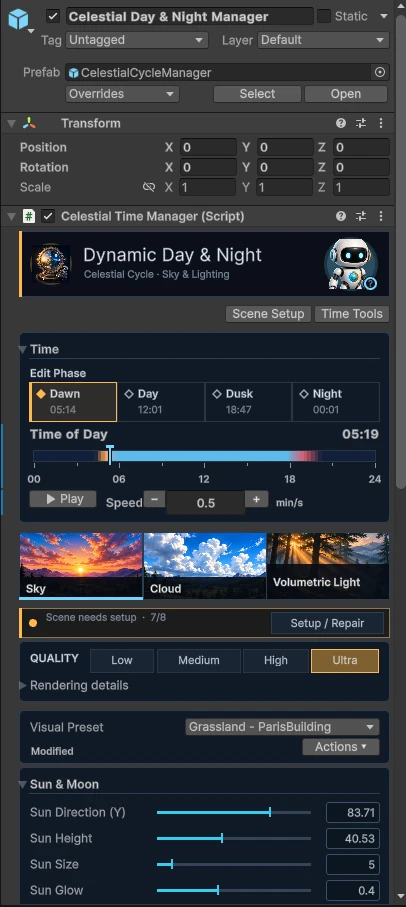
The docked Inspector before the updateA Unity capture of the editor before the shared row was in place.
The scene clock shows the current hour. The Dawn, Day, Dusk, and Night tiles tell the editor which phase you want to tune. Night takes you to 23:59. Scrub to a different time, then tap the selected tile again to return to its hour. Three desks, one clock.
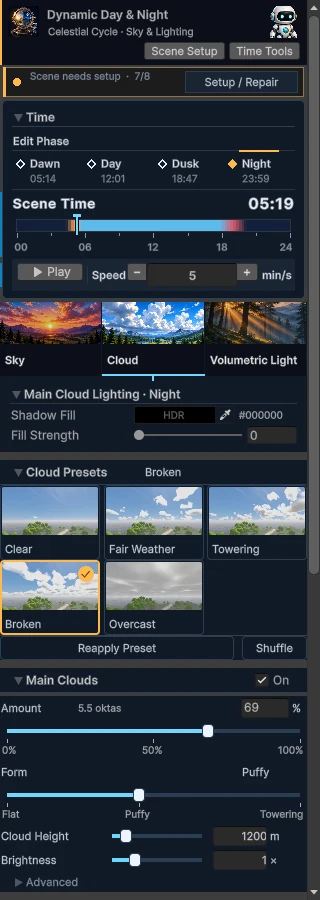
Time stays visible on the Cloud tabThe compact Inspector keeps the scene clock and the selected phase together at the top.
In the existing Paris demo Inspector, we opened Dawn under Sky and switched to Cloud. The hour and phase carried over, along with the scene and Undo state. We checked the layout at different widths and confirmed the editor update and documentation on the RPG_Lab main branch.
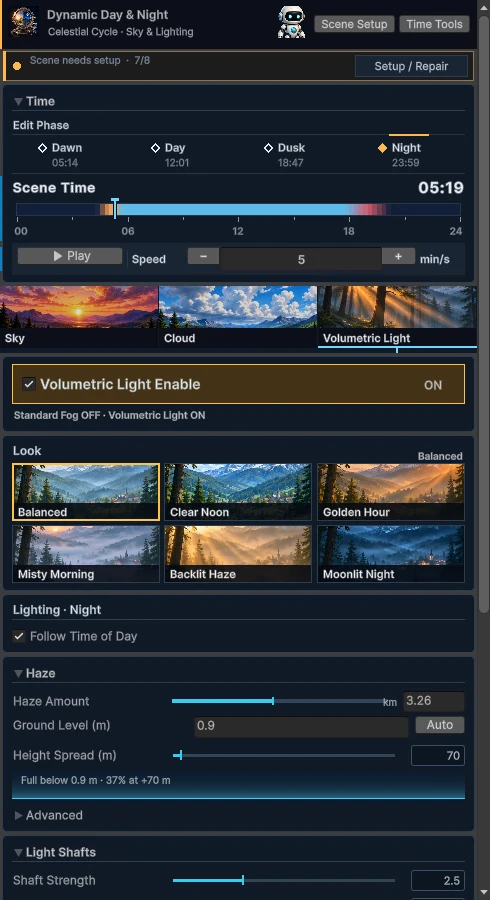
The same clock carries over to lightingThe wider Unity Inspector keeps the Time row available while lighting controls are open.
We also tried to photograph the cloud presets for a gallery. The capture run couldn’t find the active Day, cloud, and render setup it needed, so it produced zero gallery frames. The clock is in place. The clouds still have a photo appointment.
Based on actual work; expressions and robot scenes are dramatized. Actual work captures are labelled separately from illustrations.