
Last time, the products gathered into a carousel on the website. Today that entrance reached the Unity workbench. Opening a tool to build a world should not begin with a memory test about menu locations. Instead of adding another tool, we made the existing ones easier to reach.
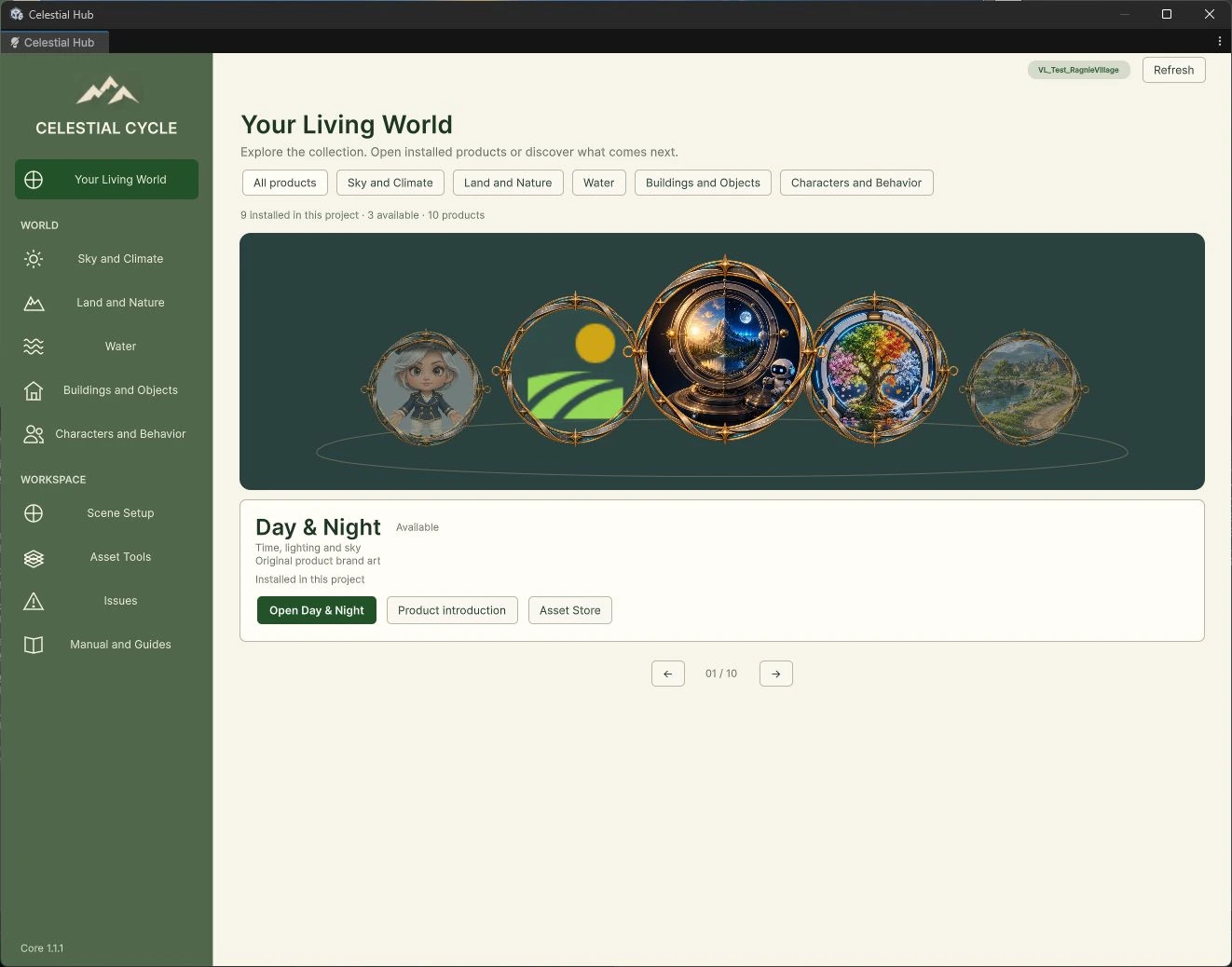
The UI lead implemented the changes, and L10 reviewed them independently. WORLD now has five categories: sky and climate, land and nature, water, buildings and objects, and characters and behavior. Asset Tools and Developer sit separately under WORKSPACE. Rather than repeat similar Setup, Help and Advanced trees for each product, Day and Season keep the essential Add Manager and Open Manager entries.
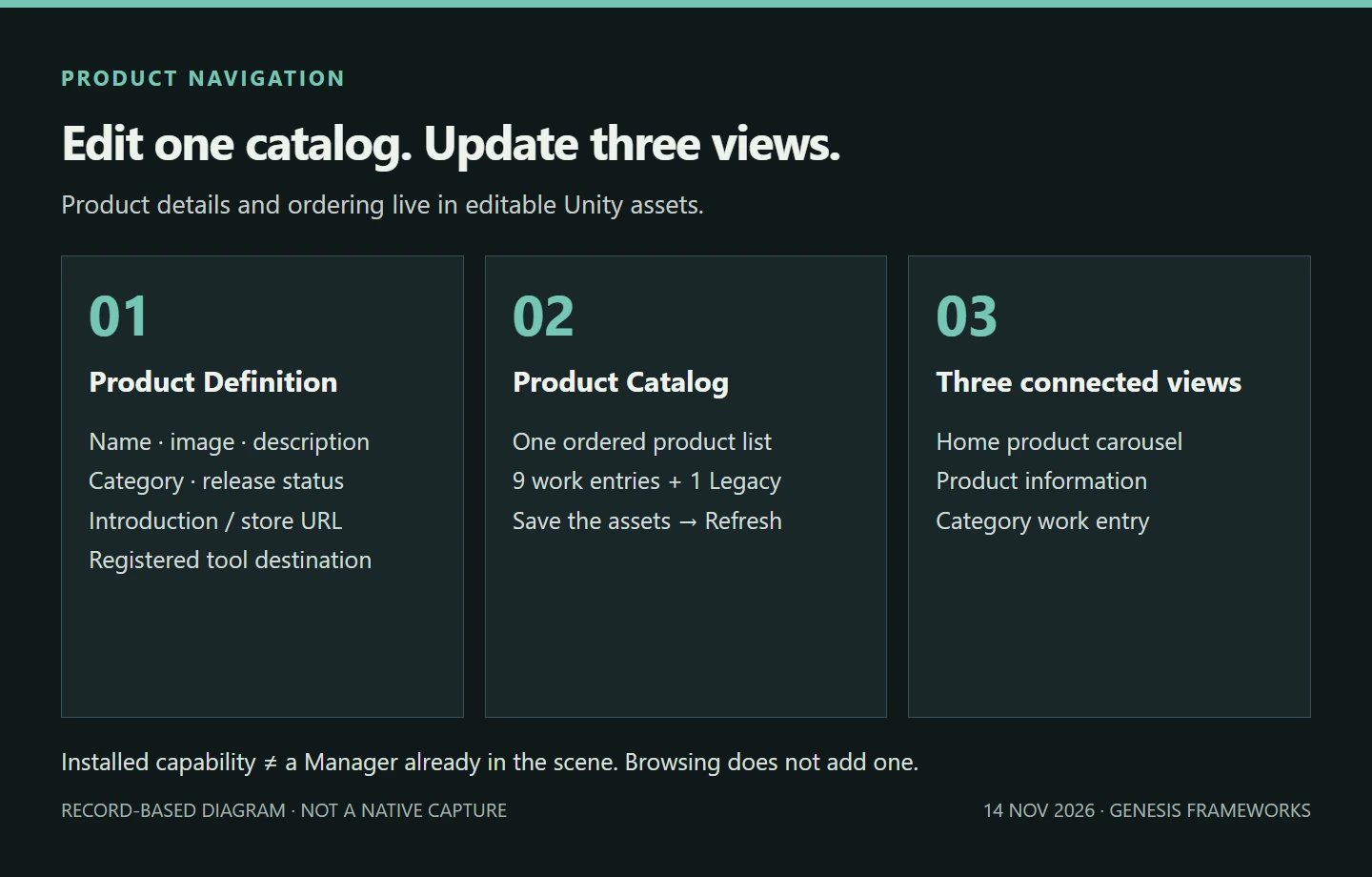
My key request was to avoid rewriting code whenever another product joins the collection. Each product now has a ScriptableObject—an editable, saved Unity asset holding its name, artwork, description, links and destination. One catalog of those cards feeds the home collection, product information and category views. It currently holds nine work entries and one separate Nature Legacy product. Reorder the cards, save and Refresh to update the list. Three display cases no longer need three independently maintained labels.
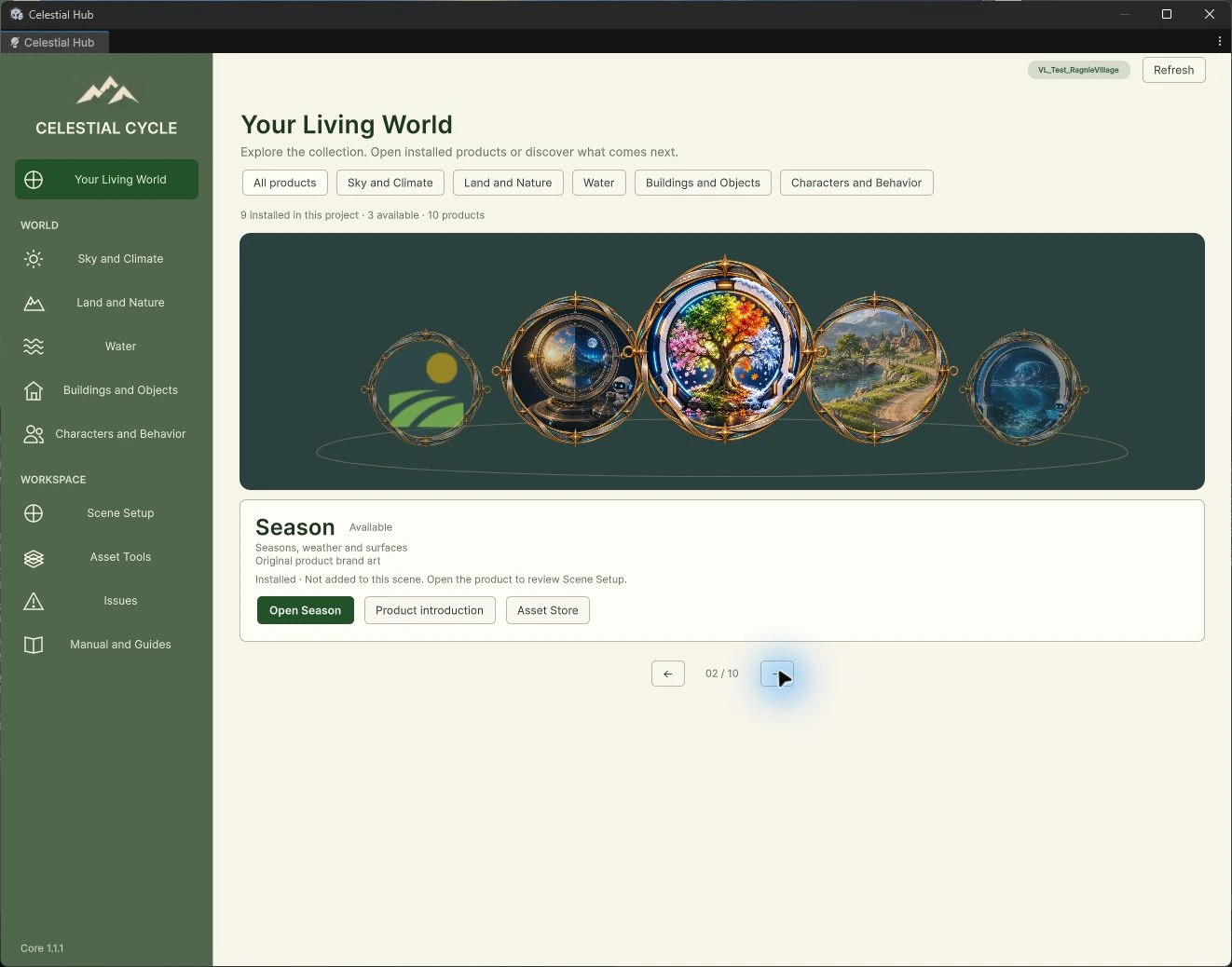
We also separated installed from added to this scene. Season can be available in the project without a Manager in the current scene. A browse button should not quietly create one: looking around would become an edit. Selection, filters and carousel navigation only change the view. Adding something remains an explicit action through the existing Add flow.
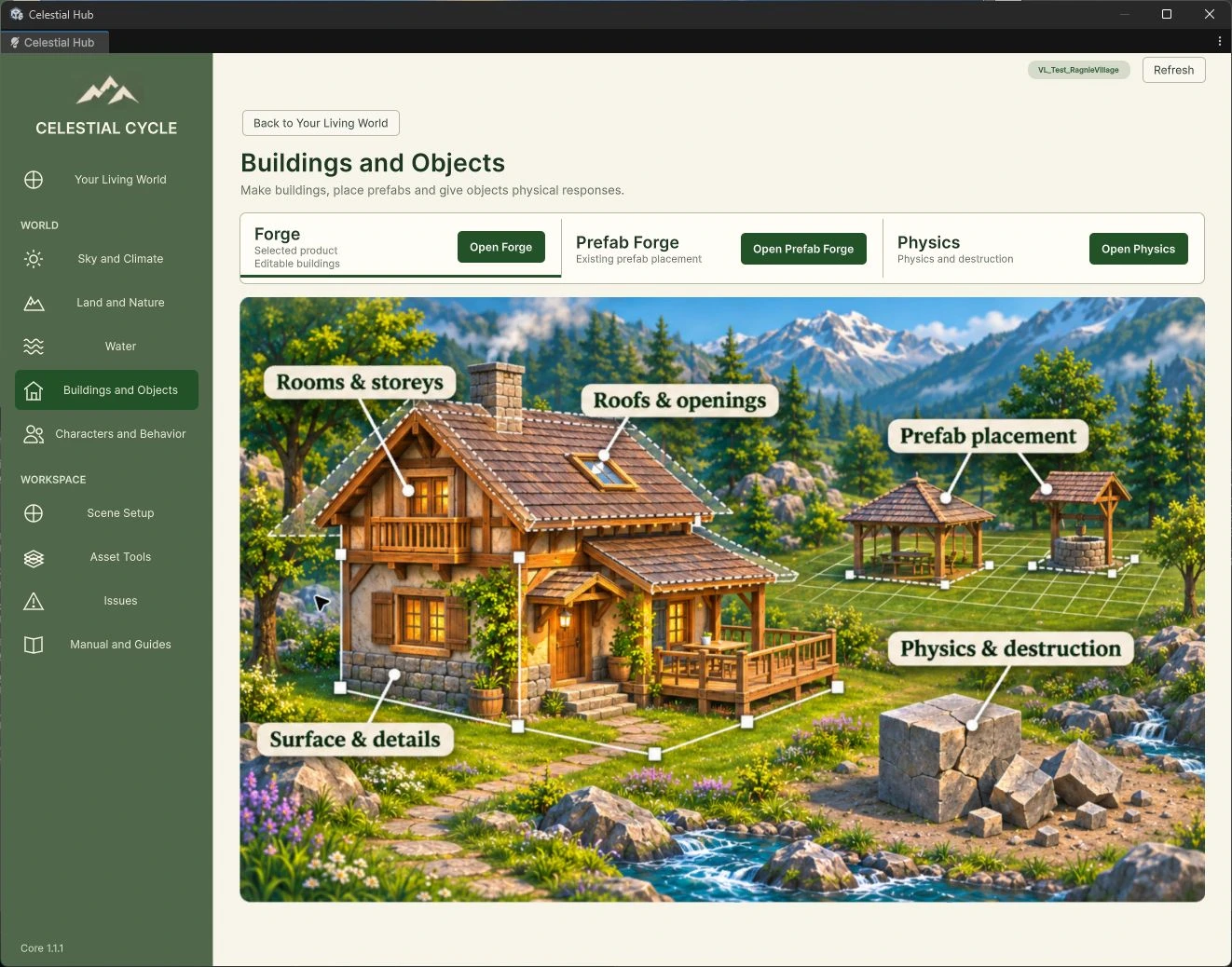
Choose the installed Forge product and the Hub takes you to its existing entry in the buildings category. Missing products lead to information, with store links for released products and separate labels for development work. Nature Legacy keeps its own identity instead of borrowing Season’s. The large house image in the Forge view below is a concept banner explaining the features; it is not evidence that this screen generated that house.
Review went beyond admiring the display. It covered selection, filtering and navigation at wide and minimum supported window widths, plus adding, reordering, saving and reopening product cards. All 30 Unity checks in this set passed. For Day, Season and Ocean, the reviewers compared first Add, repeated Add and Open to check that settings and placement stayed intact.
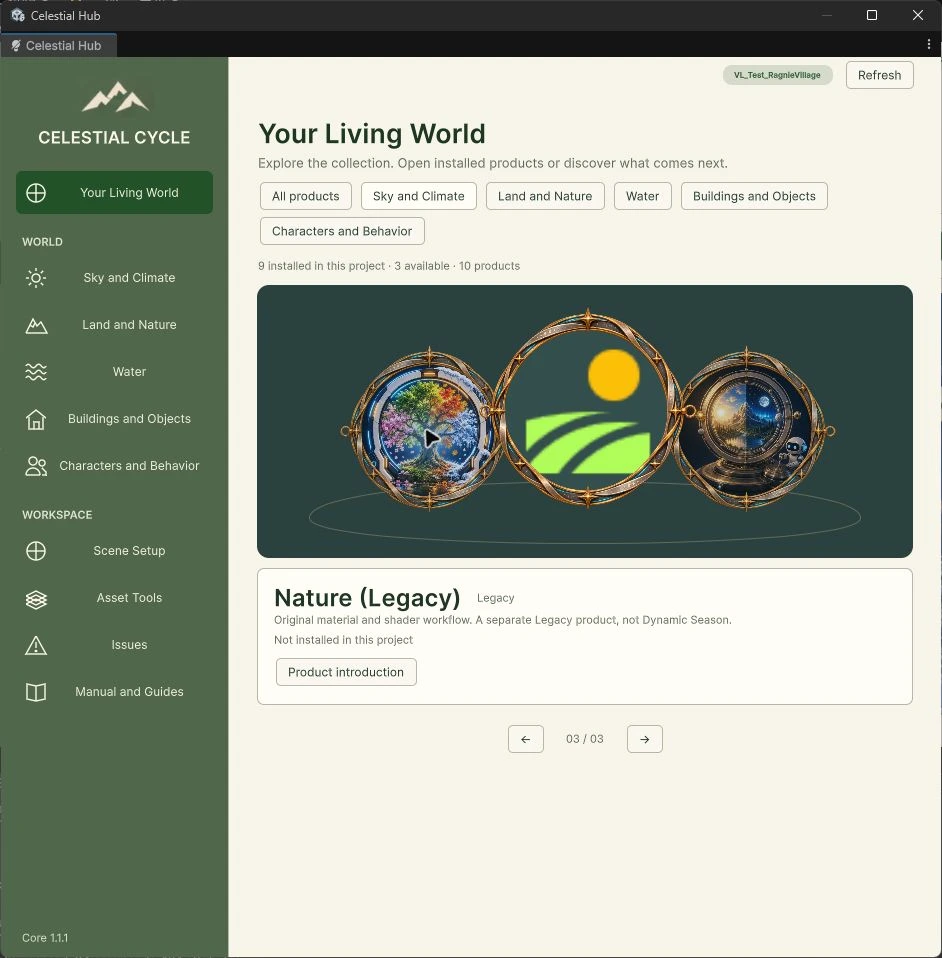
The first Season inspection failed because the inspection tool did not pick up its target. After activating the window, the reviewer checked the actual Inspector in a separate test scene. That failed attempt stays in the record alongside the successful one. Not found by the check is not the same as absent. Tidying the menus also meant being precise about what the checks could tell us.
The implementation and review records were integrated into main. Limits remain: the Ocean test camera produced a reflection-settings exception, and an earlier approved scene save had missed its pre-save byte backup. A backup of the current saved state is now secured; the exact earlier file has not been recovered. Introduction and store addresses were checked, but no purchase flow was exercised. Today made the route into the products shorter. It did not certify every product’s authoring, performance or release.